How to use Suttru
Suttru is a free phone companion for getting around Tamil Nadu when you don't speak Tamil. It helps you talk with people, read signs and menus, tell a driver where you're going, know what a ride should cost and see what's open. This page shows how each part works and where its limits are.
What you need
- A phone with a browser: Chrome on Android or Safari on iPhone. There is nothing to sign up for.
- Mobile data for voice translation, reading photos, Ask Suttru and the weather. The phrasebook, your saved places and pages you have opened before still work without signal.
- Permission for the microphone to use Talk, the camera to read a sign, and your location for what's near you. The browser asks for each one when you first use that part.
Step by step
Add Suttru to your home screen
On Android in Chrome, Suttru offers to install itself from your second visit. You can also open the Chrome menu and choose Add to home screen. On iPhone, tap Share and then Add to Home Screen.
Installed, Suttru opens on Today. The phrasebook and the pages you have opened before still load when the signal drops.
Start the day on Today
Today shows the weather and rain alerts, what's open near you right now, your day plan, a Tamil word of the day, festivals and the pocket tools.
What it means: Open and closed come from usual hours we researched, not live data. Most temples close from about 12:30 to 4 pm, and festival days change everything, so check at the gate.
Open Today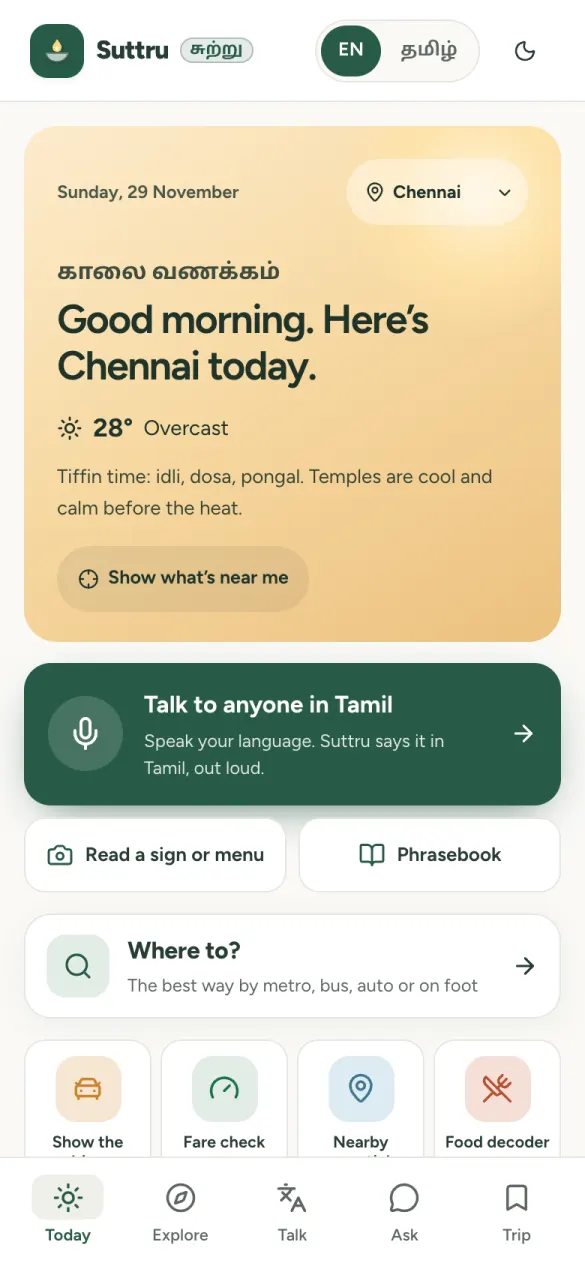
Talk with someone in Tamil
Open Talk and pick your language: English or one of nine Indian languages. Tap the green mic and speak. Suttru says it in Tamil, out loud.
The other person taps the orange mic and answers in Tamil, and you hear it in your language. You can type instead, and show any Tamil line full screen, flipped so the person opposite can read it.
What it means: This is machine translation. It is good for directions, food and shopping; for a doctor, the police or anything legal, find a person who speaks both languages.
Open Talk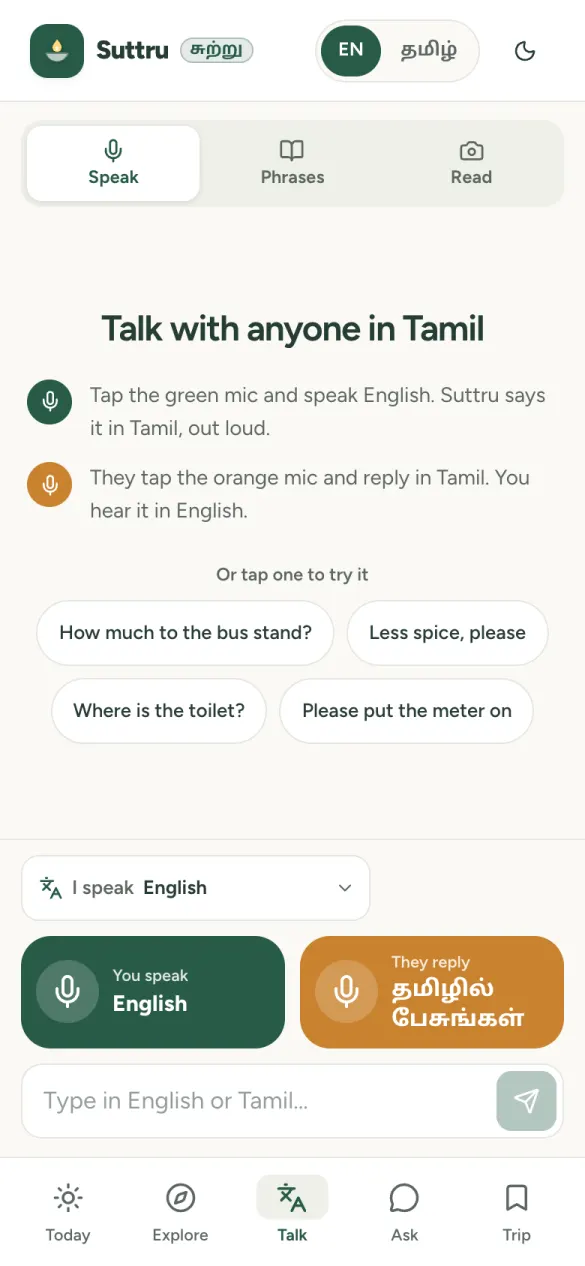
Use the phrasebook when there is no signal
Talk, then Phrases, has everyday Tamil for autos, food, temples, shopping and emergencies, written the way people say it. Each line plays once with a connection and then works offline.
Open the phrasebookRead a sign, a menu or a bus board
Talk, then Read: take a photo or pick one. Suttru translates the lines it can read and explains what matters, such as a price, a timing or a warning.
What it means: Reading needs a connection. The photo is used for that answer and not stored.
Read a sign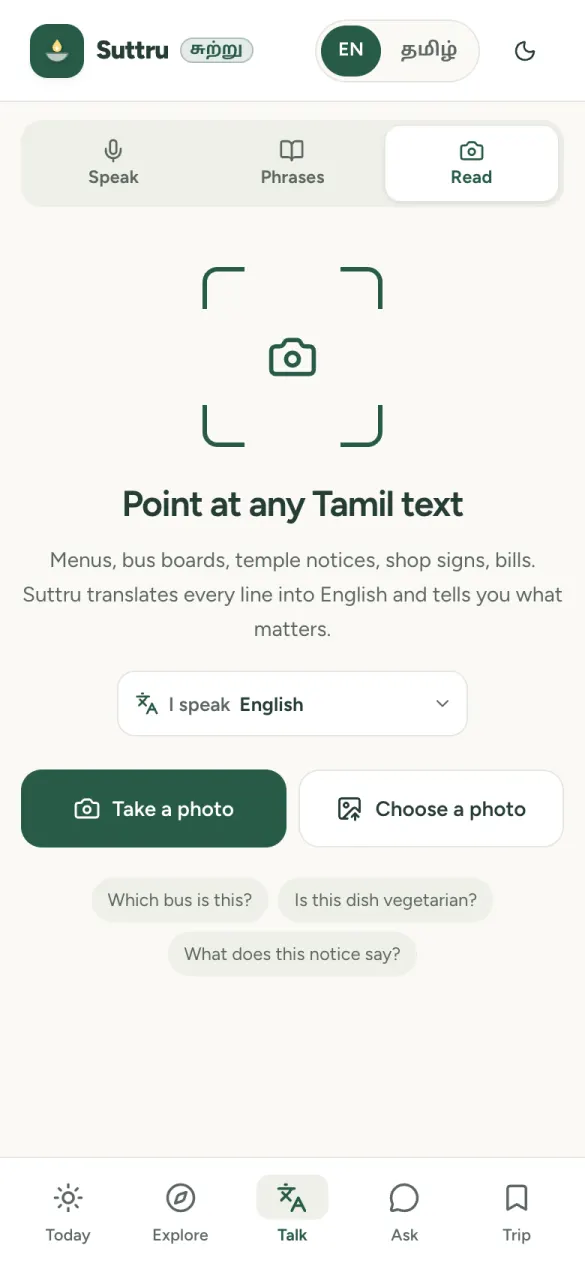
Show the driver where you're going, and check the fare
The pocket tools open over any screen. Show the driver turns where you're going into a big Tamil card you hold up to the window.
Fare check gives the usual range for a metered auto, an app auto, an app cab and a bike taxi, so you know whether a quote is fair before you get in.
What it means: Fares are ranges we researched in October 2026, with sources, not official tariffs. Street autos often quote more than the meter rate; agree the fare before you set off.
Show the driver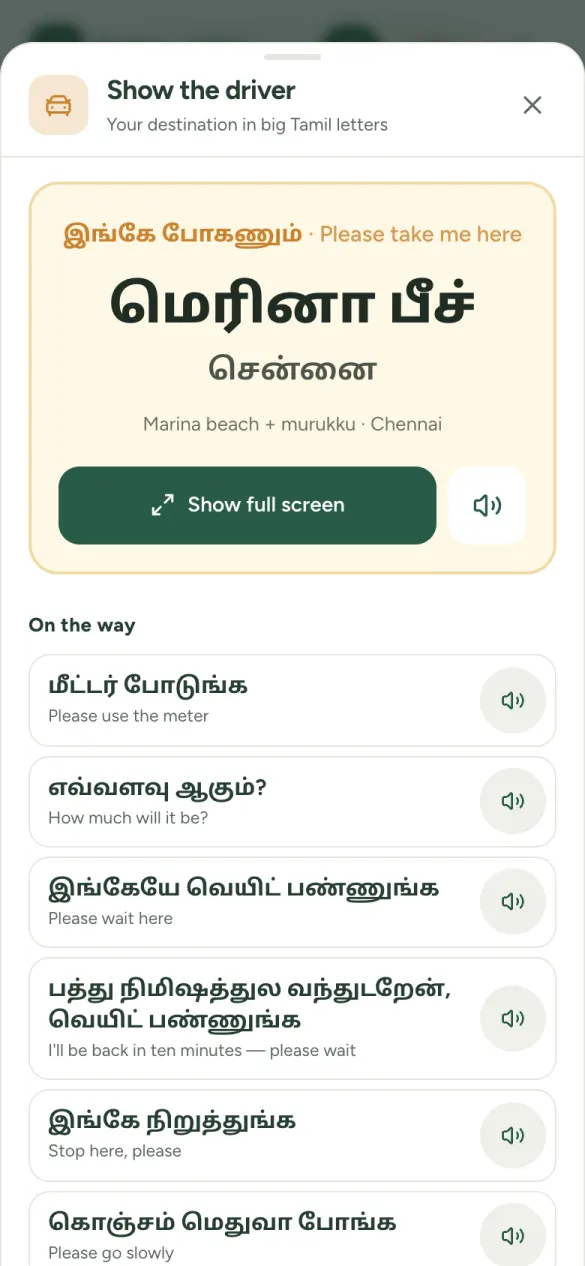
Explore a city, plan a day and ask
Chennai, Madurai, Coimbatore and Thanjavur each have a guide: places locals recommend, a map, a day plan you can change, and Ask Suttru for questions like "a quiet breakfast near the temple".
Tap the bookmark on any place to save it to Trip. Saved places stay in this browser.
Open the Madurai guide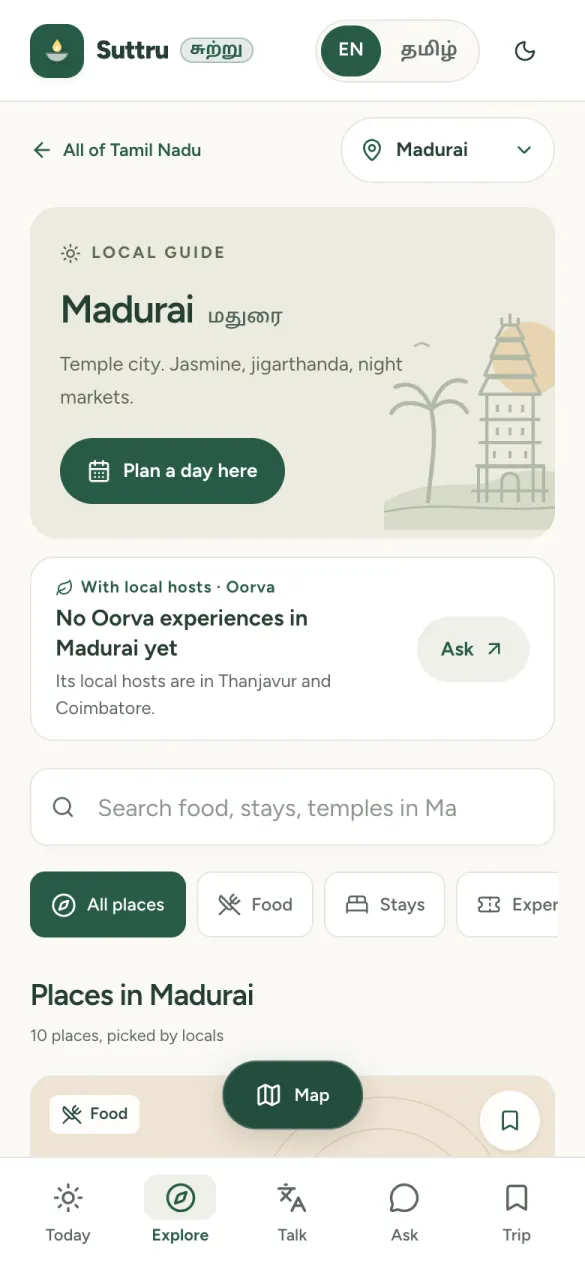
Know where help is
Help & SOS in the pocket tools lists the emergency numbers with a button to call, and Nearby essentials finds the closest toilet, pharmacy, ATM, hospital, police station or fuel.
Open Help & SOS
What it can't do yet
- City guides cover four cities: Chennai, Madurai, Coimbatore and Thanjavur. The Tamil Nadu overview adds eight landmark spotlights, without a full guide.
- Hours are usual hours, not live. Festivals, holidays and temple rituals change them.
- Fares and prices are researched ranges, not tariffs or quotes.
- Voice translation, reading photos and Ask need a connection, and can be busy at peak times.
- In Tamil, menus, buttons, names and tips are translated; longer descriptions stay in English.
Questions
- Is Suttru free? Do I need an account?
- It is free and there is no account. What you save stays in this browser on this phone.
- Does it work offline?
- The phrasebook works offline once you have played a line, and so do your saved places and the pages you opened before. Talk, Read, Ask and the weather need a connection.
- Which languages does it speak?
- The app itself reads in English or Tamil. Talk translates between Tamil and English, Hindi, Telugu, Kannada, Malayalam, Bengali, Marathi, Gujarati, Punjabi or Odia.
- What happens to my voice and photos?
- They go to the speech, translation and vision services that answer, for that answer only. Suttru keeps no recordings or photos.
- Does Suttru track me?
- We count visits and which parts get used, without cookies and without anything you type or say. Your location is used only to find what's near you, and never goes into those counts.
- Can I book an experience?
- Hands-on experiences in the guides are hosted by locals with Oorva. Suttru links you to Oorva on its site or on WhatsApp; Oorva handles dates and prices.
- Who makes Suttru?
- Suttru is a Synced Labs tool. The other tools are at syncedlabs.in.